Triple Aero Pro Max (Gen 2) Review: Is a Triple Portable Monitor Worth It for Remote Work?
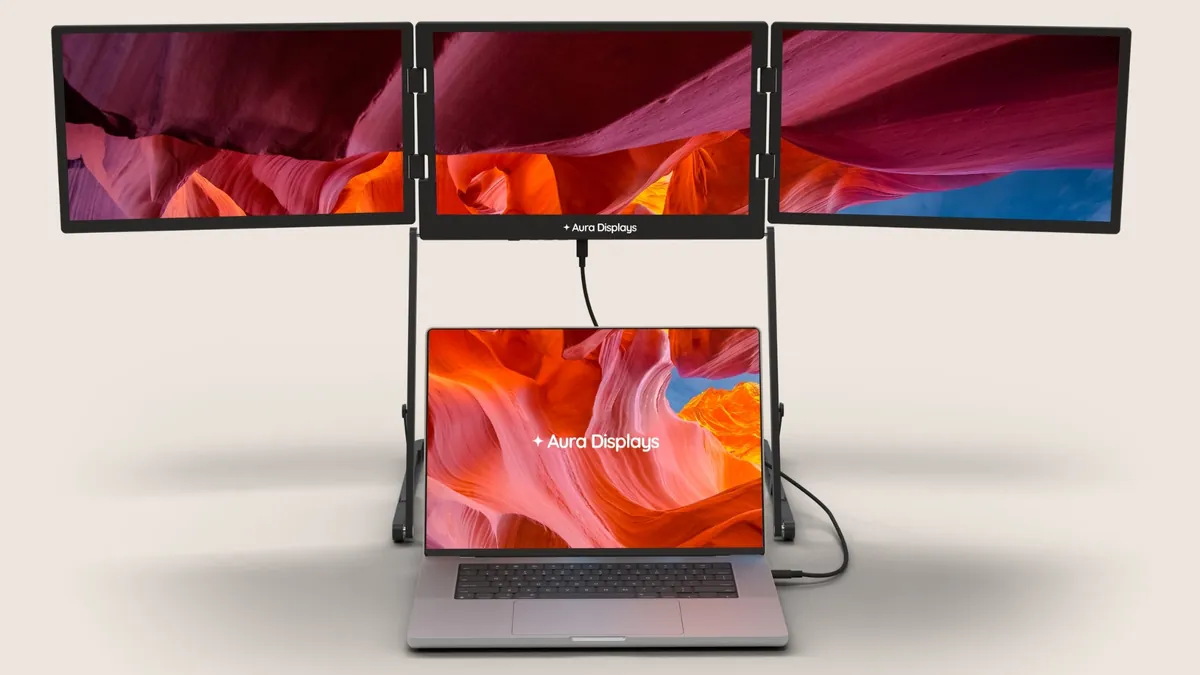
Image: Aura Displays
A laptop is a great computer and a cramped workspace. If you've ever tried to run a video call, a spreadsheet, and a chat window on one 14-inch screen, you know the problem. The Triple Aero Pro Max (Gen 2) from Aura Displays is one of the more ambitious fixes: a triple portable monitor for laptop users: a row of three screens mounted on a stand that sits above and behind your laptop, so a hotel desk or kitchen table starts to feel like a multi-monitor office.
We haven't run a hands-on test of this unit, so we don't claim lab results. This portable triple monitor review is based on specs, the brand's documentation, and verified buyer feedback. It covers what the device actually is, what the specs mean in practice, the setup requirements that catch people off guard, and who should (and shouldn't) spend this kind of money on a laptop triple screen extender.
Quick Verdict
A capable, well-equipped triple portable monitor for people who genuinely work across several windows all day. You trade portability, plug-and-play simplicity, and a fair amount of money for it.
Best for
- Remote workers and frequent business travelers
- Traders, developers, and data analysts
- Anyone who keeps 3+ apps visible at once
Not for
- Gamers who want high refresh rates
- Ultralight packers and small-backpack users
- Anyone who can't install drivers on their work laptop
From $549 at the time of writing (list price $699). Prices change often.
What It Is: A Row of Three Screens Above Your Laptop
Most portable monitors add one screen beside your laptop. The Triple Aero Pro Max adds three, arranged as a row of three screens mounted on a stand that sits above and behind your laptop. The three panels sit edge to edge in one horizontal row, and your open laptop stays underneath, centered in front of the stand. The result looks less like a laptop accessory and more like a compact multi-monitor desk setup that you can fold down and carry.
Because the screens stand on their own base, nothing clips onto your laptop or hangs off its lid. That's a real advantage over clip-on screen extenders: there's no extra weight on your laptop's hinge, and you can open, close, or swap the laptop without touching the monitors.
The appeal is simple: email and chat on one panel, reference material on another, a call on a third, and your laptop screen free for the main task. The catch is that it's heavier, needs more setup, and costs more than a single portable display.
Aura is a US-designed brand focused on laptop screen extenders, and "Gen 2" marks the second generation of this line.
Specs at a Glance
| Spec | Triple Aero Pro Max (Gen 2) |
|---|---|
| Sizes / resolution | 14" Plus (2.2K), 15.6" (Full HD), 18.5" (Full HD); a QHD 2.5K version is also offered in this line |
| Panel type | IPS, HDR-labeled, matte anti-glare finish |
| Brightness | 350 nits |
| Contrast ratio | 1200:1 |
| Color | 100% sRGB, 16.7 million colors |
| Refresh rate | 60Hz |
| Eye comfort | Low blue light mode |
| Controls | On-screen display (OSD) menu |
| Audio | Built-in speakers |
| Connections | USB-C (one cable to the laptop), mini HDMI input |
| Power | Included USB-C PD adapter: 65W (14" Plus, 15.6") or 100W (18.5"); reverse charging to the laptop |
| Layout | Three screens side by side in one horizontal row, on a stand above and behind the laptop |
| Build | Aluminum housing, integrated height-adjustable stand, 180° hinges with magnetic locks, latch when folded |
| Size and weight (14" Plus) | 1.06 in thick folded, 4.40 lbs |
| OS support | macOS, Windows (driver required) |
| Color option | Midnight Black |
| In the box | Monitor, 2 USB-C cables, mini HDMI to HDMI cable, power adapter (US/UK/EU/JP/KR/AU/CN plug types), manual. Current bundles also list a tempered glass protector, 8-in-1 hub, and felt sleeve (may vary). |
| Price | From $549 at the time of writing (list $699) |
Two numbers deserve a quick translation. 350 nits is comfortably bright for an office, a hotel room, or a café, and it's a little above many budget portable monitors. It isn't bright enough for direct sunlight on a patio. 100% sRGB means colors should look accurate for web work, documents, and photo browsing, though it isn't a wide-gamut panel for professional print or video color grading.
Coupon code: HOSANG
$20 off orders of $100 or more on select collections. Terms apply; check that the code is accepted for this model at checkout.Design and Build
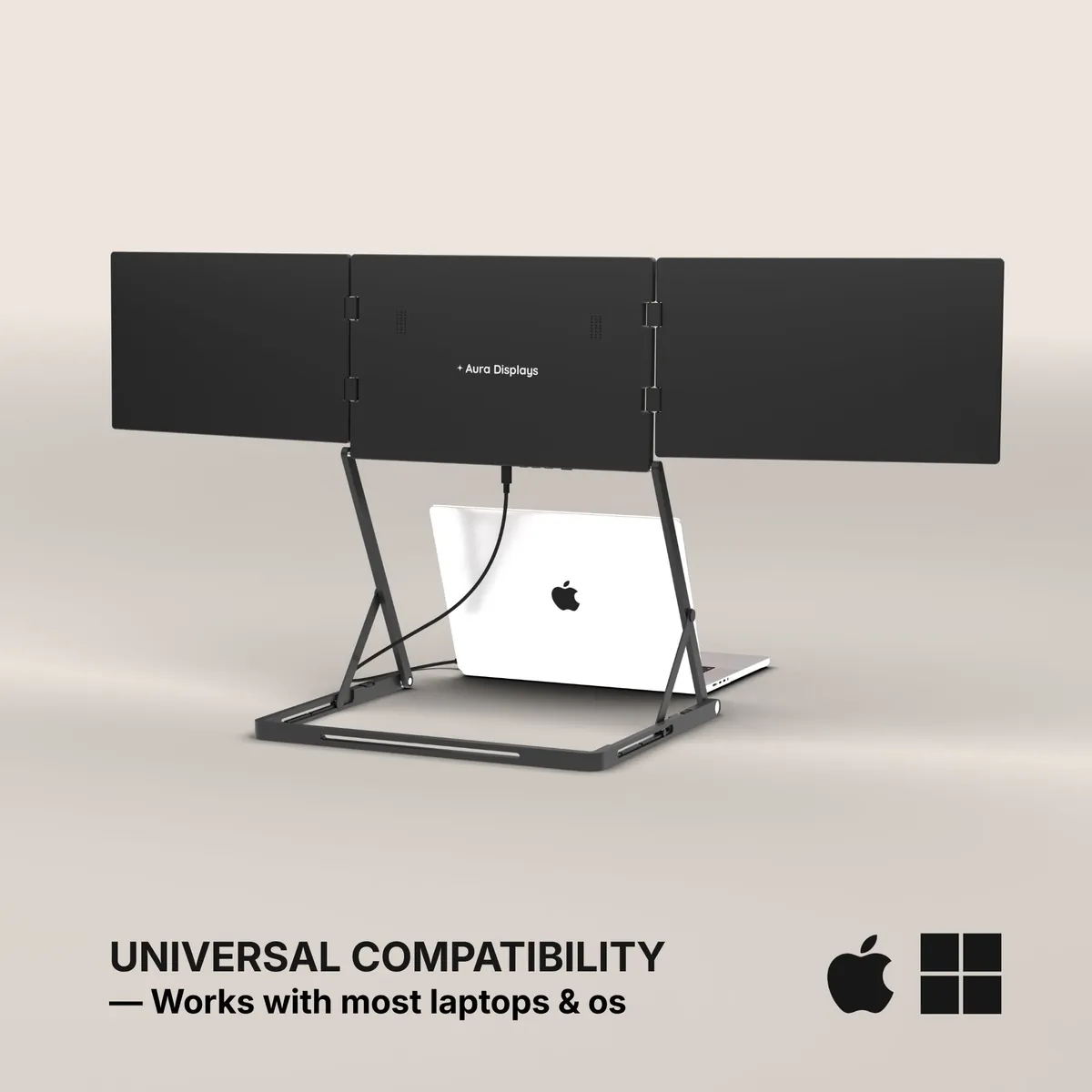
The housing is aluminum rather than plastic, which matters on a device you'll fold and unfold every day. Aluminum resists flex better at the hinge points and tends to survive being slid in and out of bags. The trade-off is weight, which we'll come back to.
Three design details stand out in the brand's documentation:
- Integrated, height-adjustable stand. The row of screens stands on its own built-in base rather than relying on the laptop for support, so the laptop's hinge carries no extra load. Height adjustment lets you raise the screens toward eye level, which helps with the neck-craning that comes from looking down at a laptop all day.
- 180° hinges with magnetic locks. The panels can rotate a full 180°, and magnets hold them in position. That flexibility is what enables the different viewing modes covered below.
- Folding latch. When closed, a latch keeps the panels from swinging open in a bag, which protects the screens in transit.
Treat the built-in speakers as backup audio; a headset is better for long calls. If you switch between a laptop and a phone during the day, our guide to multipoint Bluetooth pairing explains how to keep one headset connected to both.
Display Quality
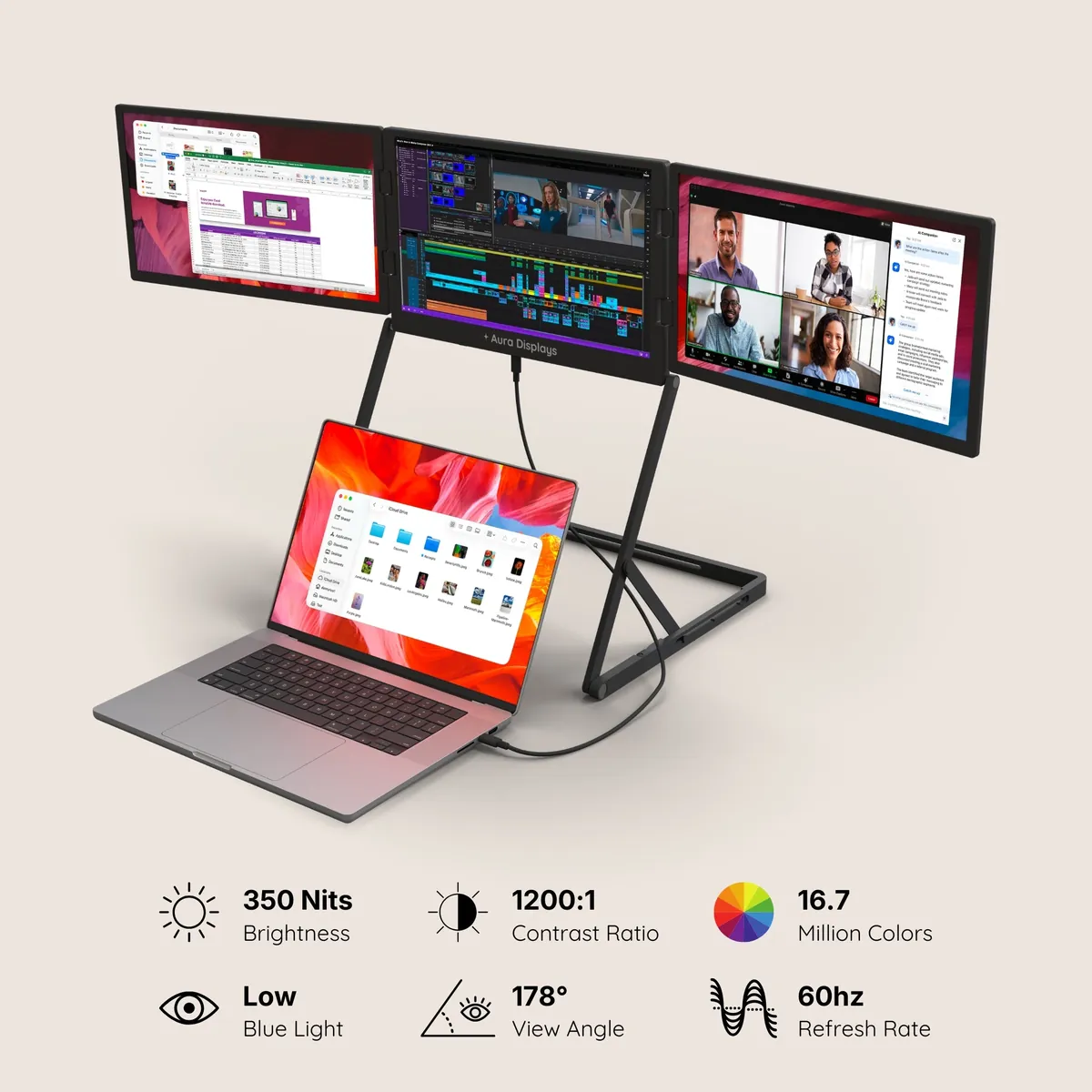
On paper, the panels are well matched to productivity work. IPS gives wide viewing angles, which matters more on a row of three screens than on a single one: you see the outer panels at an angle, and cheaper TN panels would shift color and contrast there. A 1200:1 contrast ratio is typical-to-good for IPS, so text should look crisp and blacks will look dark gray rather than inky.
The matte, anti-glare finish is the right call for a work monitor. Glossy screens look punchier in product photos, but they reflect windows and overhead lights. Matte coatings trade a little punch for far fewer reflections. The low blue light mode and the OSD menu let you tune brightness and color temperature per panel.
The "HDR" label deserves some caution. At 350 nits, these panels can't produce the bright highlights that real HDR content needs, so don't buy this expecting an HDR movie experience. And 60Hz is standard for office work but a clear step down from the 120Hz or 144Hz that gamers and fast-scrolling users may be used to.
The 14" Plus model's 2.2K resolution is the sharpest of the three sizes. The 15.6" and 18.5" models use Full HD (1920 × 1080), which looks noticeably softer on the larger 18.5" panels.
Setup and Compatibility
A driver is required. The Triple Aero Pro Max isn't plug-and-play. Driving several screens through one USB-C connection relies on a display driver, which you install on macOS or Windows before the extra panels work. That's routine on a personal machine, but many company-managed laptops block software installs. If yours does, check with IT first.
You need the power adapter. Three panels draw more power than a laptop's USB-C port can supply, so the included 65W or 100W PD adapter has to be plugged in. The upside is reverse charging: the monitor can pass power back to the laptop, so you use one wall outlet. The downside: it's not for a train seat or an airport gate without an outlet.
One cable to the laptop. With power sorted, a single USB-C cable carries video to the laptop, which keeps the desk tidy. Your laptop's USB-C port needs to support data transfer, and Aura's compatibility notes are worth checking for your exact model.
Mini HDMI input. The mini HDMI port (cable included) is useful for devices without a suitable USB-C port. Check the manual for how many panels it can drive over HDMI.
MacBook users: base-chip MacBooks natively support only a limited number of external displays. A driver-based setup like this is one of the common ways around that limit, which makes the driver requirement less of a drawback on a Mac than it first sounds. Driver-based screens can have quirks, though, such as needing screen-recording permission on macOS, or some apps refusing to show protected video on them.
The Three Viewing Modes
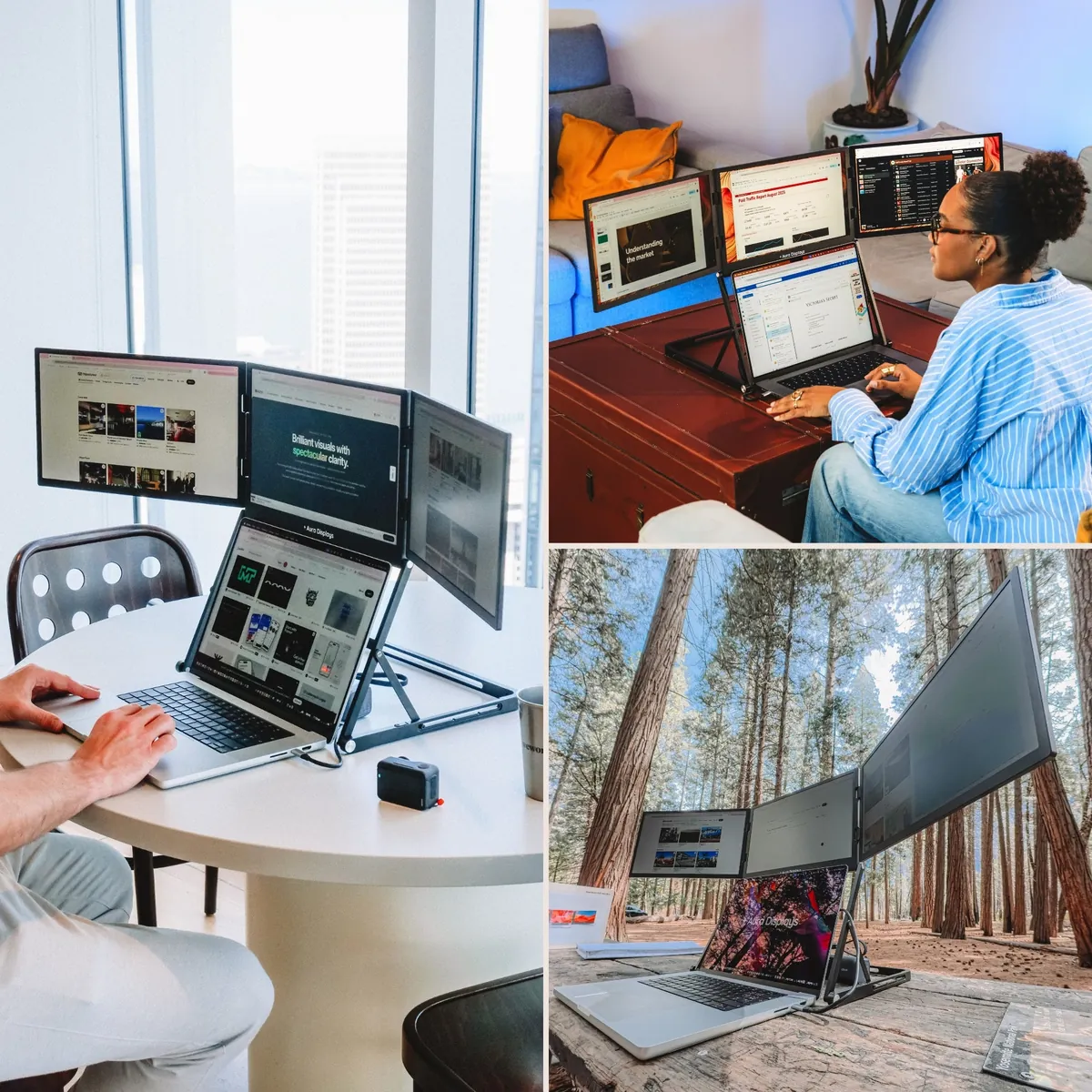
The 180° hinges let you arrange the panels in three ways:
- Landscape mode. The default setup: the row of three screens facing you above and behind your laptop. This is where you'll spend most of your time.
- Collaboration mode. The panels fold into a triangle so screens face different directions. It's built for a small table meeting, where colleagues on different sides can each see a display.
- Presentation mode. A panel rotates 180° to face the person across from you. It's handy for showing a client a deck or a dashboard without turning your laptop around.
The last two are nice extras, but most buyers will use Landscape almost exclusively.
Who Should Buy It
If you're shopping for the best portable monitor for remote work, this is a strong pick for a specific kind of user:
- Remote workers without a fixed desk. If you work from home, coworking spaces, and family visits, one bag can carry a full multi-monitor setup.
- Frequent business travelers. Hotel desks become workable offices, as long as you can live with the extra weight in your bag.
- Traders. Charts, order entry, and news feeds side by side is what multi-monitor setups are for. The 60Hz refresh is fine for this.
- Developers. Editor, terminal, browser, and docs all visible at once. The 14" Plus's 2.2K panels make dense code easier to read.
- Data analysts. Wide spreadsheets on one panel, dashboards on another, and a query editor on a third.
It's a poorer fit for gamers, for people who mainly work on a fixed desk (a regular desktop monitor costs less and does more), and for anyone whose laptop blocks driver installs. If your setup also needs a better mouse and keyboard, our ATK gear review covers compact options that pair well with a travel workstation.
Pros and Cons
Pros
- Three extra screens in one row on their own stand, with no load on the laptop hinge
- Aluminum build with integrated, height-adjustable stand
- Matte IPS panels with 100% sRGB and 1200:1 contrast
- One USB-C cable to the laptop, plus reverse charging
- 180° hinges with magnetic locks and three viewing modes
- Mini HDMI input, built-in speakers, and OSD controls
- Works with macOS and Windows; helps MacBooks run more screens
Cons
- Requires a driver install, so it's not plug-and-play
- Needs its own power adapter plugged in
- About 4.4 lbs (14" Plus); some buyers say it didn't fit 11–17" laptop bags
- 60Hz and 350 nits: built for work, not gaming or bright sunlight
- Some buyers report slow delivery or incorrect tracking information
- Costs far more than a single portable monitor
The shipping complaints are worth taking seriously. If you buy, buy directly from the brand's store, keep your order number and confirmation email, and check tracking early so you can raise any issues within the return window.
Which Size Should You Choose?
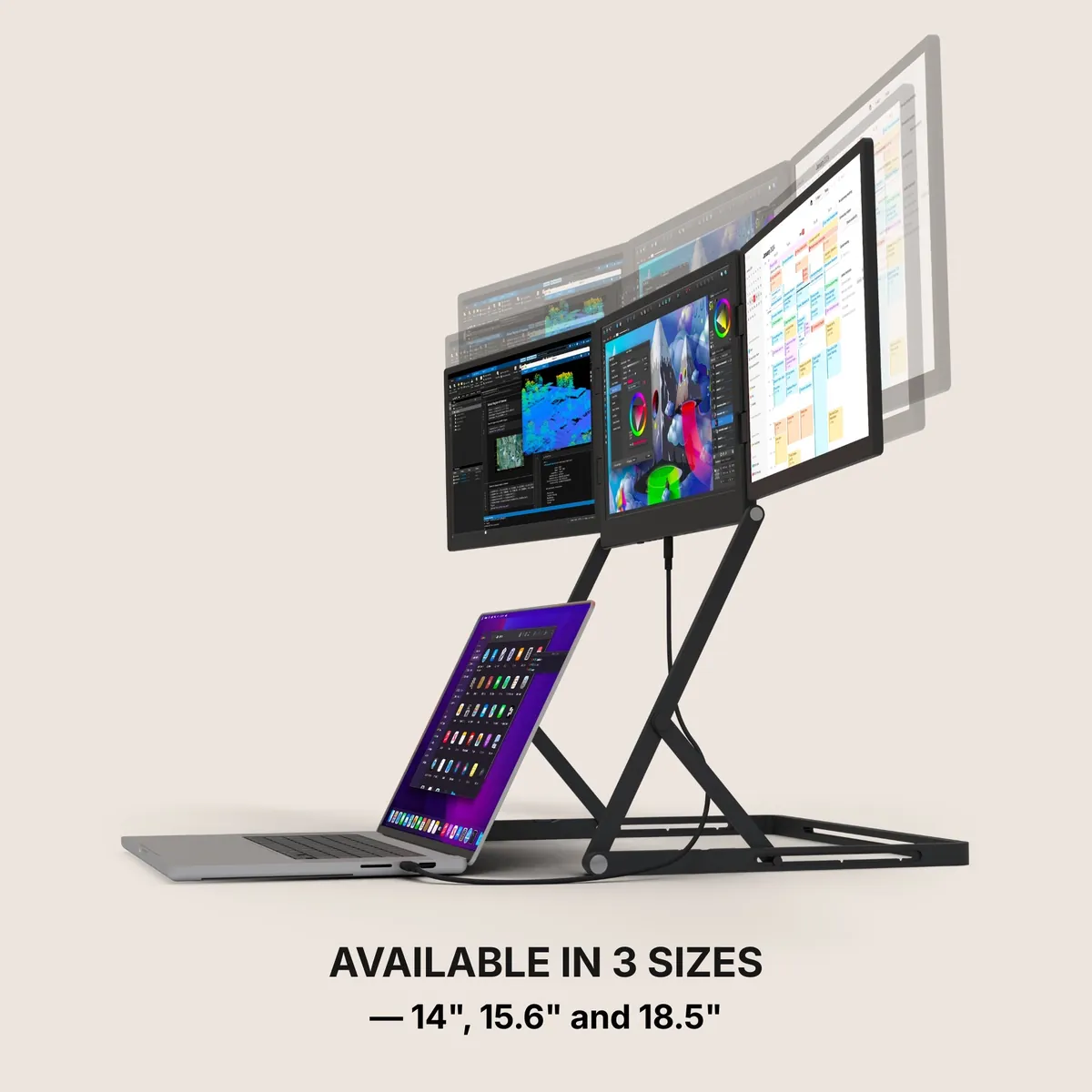
| Size | Resolution | Power adapter | Best for |
|---|---|---|---|
| 14" Plus | 2.2K | 65W | Travelers and 13–14" laptop owners who want the sharpest text and the lightest option |
| 15.6" | Full HD | 65W | A balance of screen size and portability for 15–16" laptops |
| 18.5" | Full HD | 100W | Semi-permanent setups where screen size beats portability |
For most people, the 14" Plus is the sensible default. It's the most portable, its 2.2K resolution gives the best text clarity, and it pairs naturally with the 13–14" laptops most remote workers carry. Choose the 15.6" if you have a larger laptop and want the extra panels to match its height. The 18.5" makes sense only if you'll mostly leave it set up in one place, such as a home office you occasionally pack up. Its larger Full HD panels are less sharp, and it needs the bigger 100W adapter. Whichever size you pick, check the brand's laptop-size compatibility guidance and your desk depth, because the stand sits behind your laptop and needs room there.
Alternatives: Aura's Dual Models
If three extra screens sounds like more than you need, or 4.4 lbs is too much to carry, Aura's own dual-screen models are the obvious alternatives. The Dual Boost and Dual Air lines add two panels instead of three, which generally means less weight, a slimmer folded profile, and a lower price. For many people, laptop screen plus two extra panels covers the realistic workload of email, a call, and a main document.
A good rule of thumb: if you can't name what you'd put on the third extra panel, you probably don't need it. Go with a dual model. Choose the triple if your job really does involve four or more things on screen at once, like trading, development, or analytics. You can browse the dual and triple lineups side by side on Aura's store, and we'd suggest checking the current weight and price of each before deciding.
Brand Claims vs. What to Expect
The brand claims that its multi-screen setups can boost productivity by around 52% and save up to four hours a day. Those figures come from the brand's marketing, not independent studies, and your results will depend on your work. More screen space does reduce window-switching for multitasking-heavy jobs, but it won't speed up tasks that need only one window. On ratings, the product page shows about 4.4 out of 5 from roughly 367 reviews, and the brand's store-wide average is about 4.6 out of 5. Those are useful signals, but they're collected by the seller, so read the lower-rated reviews too.
Frequently Asked Questions
Does the Triple Aero Pro Max work with a MacBook?
Yes. Aura lists macOS and Windows as supported, and on Mac you install the brand's display driver first. Because the screens run through that driver, it is also a way around the single-external-display limit on base-chip MacBooks. Check Aura's compatibility notes for your exact model and macOS version before ordering.
Do I need to install a driver?
Yes. The Triple Aero Pro Max is not plug-and-play. You install Aura's driver on macOS or Windows before the extra screens work, so plan to set it up on a computer where you have permission to install software.
Will it fit in my laptop backpack?
Maybe not. The 14-inch Plus model is about 1.06 inches thick folded and weighs about 4.4 lbs, and some buyers report it did not fit the laptop sleeve of bags rated for 11 to 17-inch laptops. Measure your bag's main compartment against the listed dimensions, and expect the 15.6 and 18.5-inch sizes to need more room.
Can it run on laptop power alone?
No. Aura's documentation calls for the included USB-C PD power adapter: 65W for the 14-inch Plus and 15.6-inch models and 100W for the 18.5-inch model. With the adapter connected, the monitor can also pass power back to charge the laptop, so you still use one wall outlet.
What are the return and warranty terms?
At the time of writing, Aura's store lists free shipping on orders over $100, a 14-day return window, and a one-year international warranty. Policies can change, so confirm them at checkout, and keep your order number and tracking details in case you need support.
Is a triple portable monitor better than one larger portable monitor?
Only if you regularly use three or more windows side by side. A single portable monitor is cheaper, lighter, and usually plug-and-play. A triple setup earns its extra cost and weight for people who keep several apps visible all day, such as traders, developers, and data analysts.
Final Verdict
The Triple Aero Pro Max (Gen 2) does what it promises on paper. It turns a laptop into a multi-monitor workstation that folds into one aluminum slab, with matte IPS panels that suit long workdays and a sensible set of ports and accessories. For remote workers, traders, developers, and analysts who live in several windows at once, that's a meaningful upgrade.
It's also a device with clear trade-offs. You need to install a driver, it needs its own power adapter, it weighs over four pounds, and it costs several times more than a single portable monitor. If those trade-offs fit how you work, it earns our 4.3/5. If you only need one more screen, a single or dual model is the smarter buy. Before ordering, check your bag's dimensions, your laptop's USB-C support, and whether you can install software on it.
Coupon HOSANG: $20 off orders of $100+ on select collections. Terms apply.
Reviewed by OmniReview
OmniReview is the editorial team behind Gear Rescue Guide. We build every guide from manufacturer documentation, published test standards, and long-term owner reports, and add our own hands-on impressions whenever we've had the chance to use the gear directly — we don't claim to have tested every product we cover. See our How We Review page for the full process.