Why Do My Headphones Sound Worse After a Year? The Real Causes
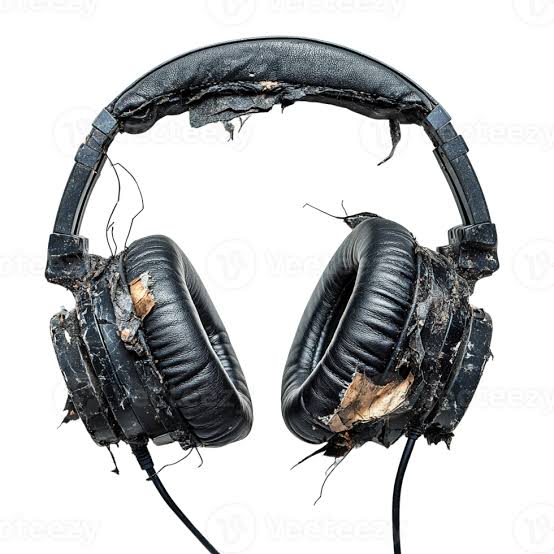
It's a common complaint: a pair of headphones that sounded great new starts to feel muddy, thin, or just "off" a year or two later. Before assuming it's your imagination or your ears changing, there are several concrete, physical explanations — most of them fixable.
1. Ear Pad Degradation
This is the single most common cause, especially with foam or protein-leather pads. As pads compress and lose thickness over months of use, the seal against your ears weakens and the physical distance between the driver and your ear changes. Both directly affect bass response and soundstage — a broken seal is one of the fastest ways to lose perceived bass, since low frequencies depend heavily on an airtight cavity.
Fix: ear pads are a wear item, not a permanent part. Most headphones have replaceable pads available from the manufacturer or third parties for $15–40 — this alone resolves the majority of "my headphones sound worse" complaints.
2. Driver Fatigue and Foam Degradation
Some headphones use foam damping material inside the housing to control resonance. Over years, foam can degrade or compress, subtly changing the internal acoustics. This is less common and less severe than pad wear, but it does happen, particularly in cheaper headphones with lower-grade foam.
3. Wax, Dust, and Debris Buildup
For in-ear headphones and earbuds specifically, earwax and debris accumulation on the mesh grille physically blocks sound output, especially in the upper frequencies — this reads as "dull" or "muffled" sound. This is extremely common and extremely fixable.
Fix: gently clean the mesh with a soft dry brush (an old toothbrush works) — never poke anything into the port itself, which can damage the driver.
4. Cable and Connector Wear
For wired headphones, repeated bending near the jack or ear cups causes internal wire fatigue over time — this often shows up as intermittent channel dropout or a thin, one-sided sound rather than a gradual quality decline. If sound cuts in and out when you move the cable, this is almost certainly the cause, not driver degradation.
5. Battery Degradation Affecting Wireless Performance (ANC/Wireless Only)
On wireless headphones, an aging battery can affect how much power is available for active noise cancellation and amplification circuits, sometimes resulting in reduced max volume or weaker ANC performance as the battery ages — separate from the audio drivers themselves.
6. Genuine Driver Wear (Least Common)
True mechanical driver degradation — a torn diaphragm, a demagnetized voice coil — does happen but is far less common than people assume, especially within the first 1–2 years of normal use. If you've ruled out pads, debris, and cable issues and the sound is distorted or crackling at specific frequencies rather than generally duller, this is worth investigating, and may mean the unit needs repair or replacement.
Quick Diagnostic Order
- Clean the mesh/ports first — free, takes two minutes
- Check pad condition and reseat or replace if compressed/cracked
- Wiggle-test the cable near the jack for wired models
- Only after ruling out the above, suspect actual driver wear
Most "headphones sound worse over time" complaints are solved by a $20 pad replacement, not a new pair of headphones.
Reviewed by OmniReview
OmniReview is the editorial team behind Gear Rescue Guide. We build every guide from manufacturer documentation, published test standards, and long-term owner reports, and add our own hands-on impressions whenever we've had the chance to use the gear directly — we don't claim to have tested every product we cover. See our How We Review page for the full process.